Your Couch Is Not an Office Chair
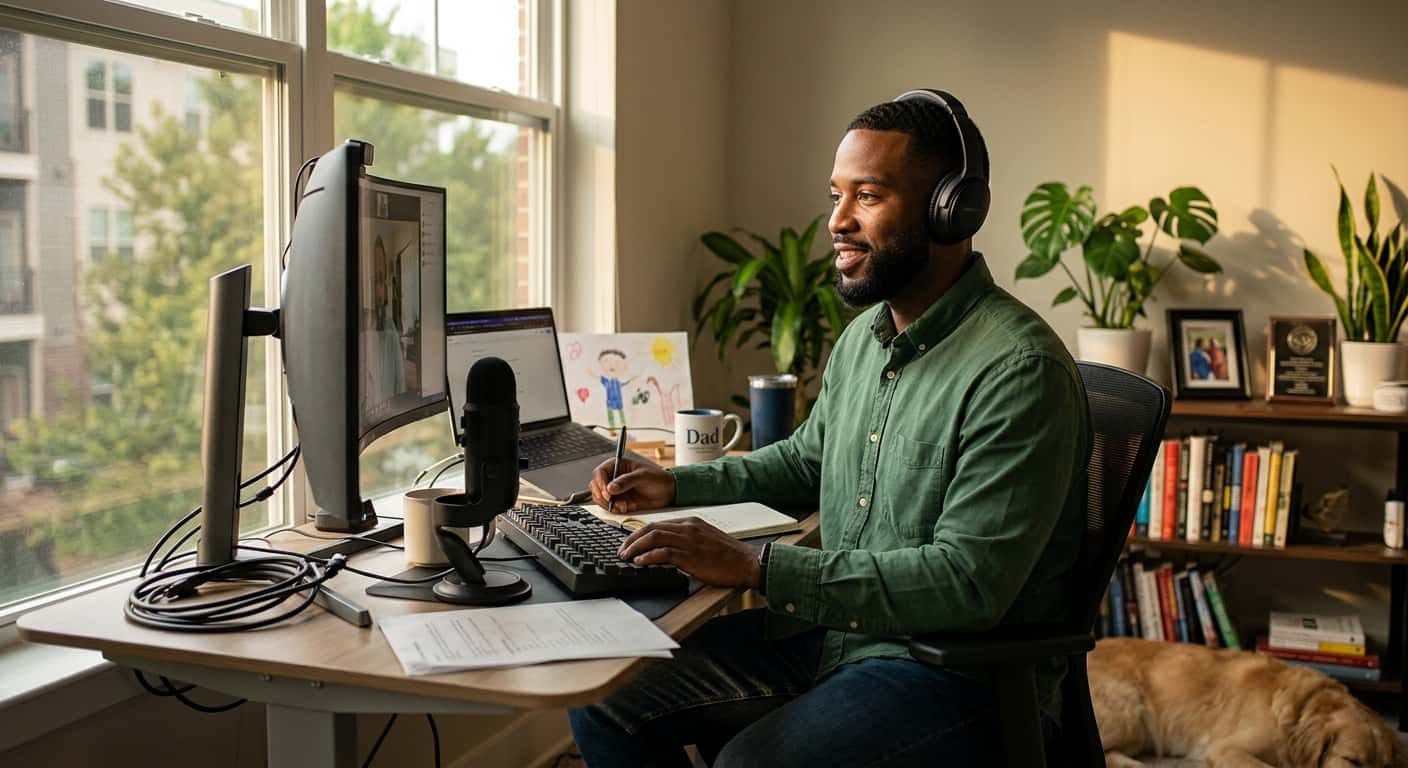
When remote work became the norm for millions of Americans, most people set up their home office in whatever space was available. The kitchen table, the couch, even the bed became workstations. Years later, many of those makeshift setups are still in use, and the impact on spinal health has been significant.
At Advanced Wellness Chiropractic in Bridgeton, MO, Dr. JC has seen a noticeable increase in patients with low back pain, neck pain, and headaches directly related to their work-from-home setup.
Why Home Offices Cause More Pain Than Traditional Offices
Traditional office environments, while not perfect, usually include adjustable chairs, monitors at eye level, and desks at a proper height. Home setups often lack all three. The result is hours spent in positions that put excessive stress on the spine.
The Laptop Problem
Laptops force a compromise: either the screen is too low (causing you to look down and strain your neck) or the keyboard is too high (causing shoulder and wrist strain). There is no position where both are correct when using a laptop on a flat surface.
The Sitting Problem
Many remote workers sit for most of the day when you combine work time with evening screen time. Prolonged sitting can leave the hips and low back stiff, and over months and years that can add up to recurring pain.
A disc pressure study from Nachemson's group (Andersson et al., 1975) reported that pressure in the lumbar discs was considerably higher in unsupported sitting than in standing, and lower when the back was supported. A later study of a single volunteer (Wilke et al., 1999 in Spine) found lower pressure in relaxed sitting than in standing and concluded that constantly changing position is important for the disc. The practical takeaway from both: support your back and change position often.
The Movement Problem
In an office, you naturally move more. You walk to meetings, take the stairs, go to a coworker's desk. At home, everything is within arm's reach. Less movement means less blood flow to the muscles and discs of the spine, which accelerates degeneration and stiffness.
Simple Changes That Make a Real Difference
You do not need an expensive standing desk or ergonomic chair to improve your situation, though those things help. Start with these adjustments:
Monitor Height
The top of your screen should be at or slightly below eye level. If you use a laptop, get an external monitor or a laptop stand and a separate keyboard. This single change can dramatically reduce neck strain.
Chair Support
Your feet should be flat on the floor with your knees at approximately 90 degrees. If your chair does not support your lower back, place a rolled towel or small pillow behind your lumbar curve. Avoid sitting on soft surfaces like couches or beds for work.
The 30-30 Rule
Every 30 minutes, stand up and move for at least 30 seconds. Walk to another room, do a few stretches, or simply stand and shift your weight. Setting a timer helps build this habit.
Desk Stretches
Our exercise guides include several stretches you can do at your desk:
- Cat-cow stretch for spinal mobility
- Seated spinal twist for mid-back stiffness
- Hip flexor stretch to counteract prolonged sitting
- Chin tucks for neck alignment
Doing these stretches 2 to 3 times per day takes less than 5 minutes and can prevent pain from building up.
What the Research Says
Sitting and back pain: A systematic review published in the European Spine Journal (Lis et al., 2007) found that sitting by itself was not associated with a higher risk of low back pain. The risk rose when sitting for more than half the workday was combined with whole-body vibration or awkward postures.
Spinal manipulation for chronic low back pain: A systematic review and meta-analysis published in The BMJ (Rubinstein et al., 2019) covered 47 randomized trials of spinal manipulative therapy for chronic low back pain. It concluded that spinal manipulation produces effects similar to other recommended therapies.
Exercise and prevention: A systematic review and meta-analysis published in JAMA Internal Medicine (Steffens et al., 2016) covered 21 randomized trials with 30,850 participants and found moderate-quality evidence that exercise combined with education reduced the risk of a low back pain episode by about 45% (relative risk 0.55). This supports the exercise prescription that Dr. JC provides alongside hands-on treatment.
When Home Remedies Are Not Enough
Self-care and ergonomic improvements are important, but they have limits. If you have been working from home for months or years with a poor setup, structural changes in your spine may have already occurred. Signs that you need professional help include:
- Back pain that persists despite improving your workstation
- Numbness or tingling in your hands, arms, or legs
- Sciatica symptoms radiating down your leg. See our guide on chiropractic treatment for sciatica
- Morning stiffness that takes more than 30 minutes to resolve
- Headaches that occur most days of the week. Learn more in our article on when to see a chiropractor for headaches
How We Treat Work-Related Back Pain
At Advanced Wellness Chiropractic, Dr. JC takes a systematic approach to work-from-home back pain:
Assessment: We evaluate your posture, spinal alignment, and range of motion to identify exactly where the dysfunction is occurring.
Chiropractic adjustments: Restoring proper joint motion in the lumbar and thoracic spine relieves pressure on the discs and reduces muscle guarding.
Active Muscle Release: Tight hip flexors, hamstrings, and upper trapezius muscles are treated with targeted soft tissue techniques.
Graston Technique: For patients with chronic muscle tension and fascial adhesions in the upper back and shoulders.
Corrective exercises: You will receive specific exercises to strengthen the core and postural muscles that have weakened from prolonged sitting.
Ergonomic guidance: Dr. JC can review your workstation setup and recommend specific adjustments based on your body and your space.
You Do Not Have to Live With It
Many remote workers accept back pain as an unavoidable part of their work life. It is not. The right combination of ergonomic changes, consistent movement, and chiropractic care can resolve the pain and prevent it from coming back.
If working from home has left you with persistent back pain, neck pain, or headaches, schedule an appointment at Advanced Wellness Chiropractic in Bridgeton, MO. Call (636) 393-8390 or take our Pain Quiz to learn which treatment approach may be right for you. Not sure what to expect? Read our guide on your first chiropractic visit.

Related Articles
Back Pain After Mowing: Causes, Relief, and Warning Signs
Back pain after mowing or yard work? Learn what causes it, what helps during the first 48 hours, and when to see a Bridgeton chiropractor.
Pain ReliefGLP-1 Joint Pain: Causes and Chiropractic Care
New back, knee, or joint pain while taking a GLP-1 medication? Learn possible causes and how chiropractic care may help in Bridgeton, Missouri.
Pain ReliefSciatica: When to Call a Chiropractor vs. Go to the ER
Sciatica pain that won't quit? Most cases respond to chiropractic care, but a few warning signs mean head to the ER. Here is how to tell.